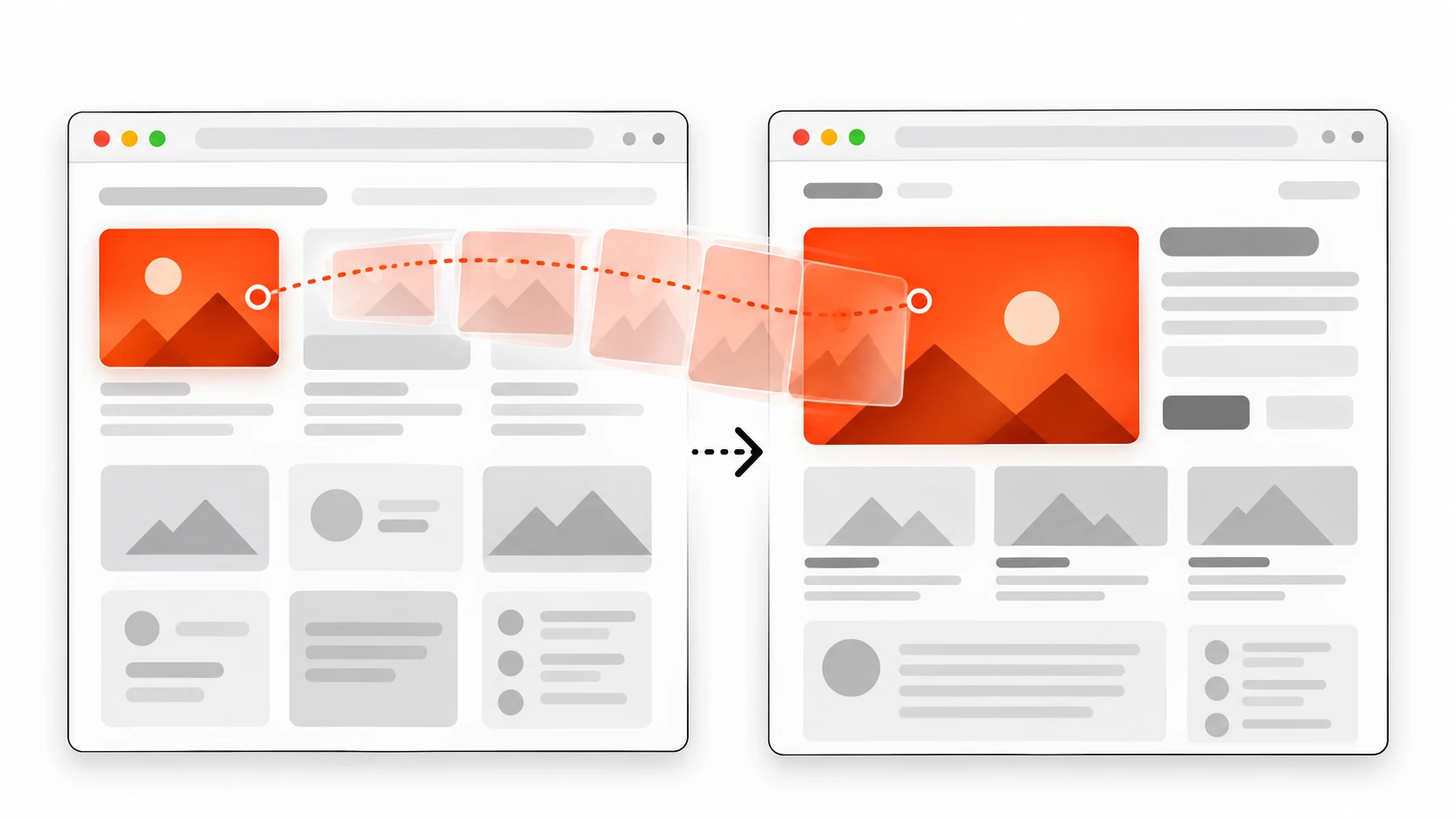
For years the pitch was simple: if you want smooth page changes, build an SPA. Ship a router, keep the shell mounted, animate the outlet, and accept the JavaScript tax that comes with it. Multi-page apps (MPAs) were “old school” – full document navigations, white flashes, and no shared element morphs.
In 2026 that trade-off is outdated for a lot of sites. Cross-document view transitions let same-origin navigations between real HTML documents animate like a polished client router – without rewriting your stack into React Router or a framework shell. You opt in with CSS, name the elements that should morph, and optionally customize the lifecycle with pageswap and pagereveal.
This is a practical tutorial for shipping that on an MPA: the opt-in rule, view-transition-name, custom animations, dynamic names for list-to-detail flows, the gotchas that silently kill transitions (timeout, aspect-ratio warping, BFCache cleanup), progressive enhancement, and when I still reach for an SPA router instead.
What cross-document view transitions actually are
Same-document view transitions (the SPA flavor) start when you call document.startViewTransition(). The browser snapshots named elements, runs your DOM update, then animates old-to-new snapshots with CSS.
Cross-document view transitions reuse that same machinery across two documents. You do not call startViewTransition. The trigger is a normal same-origin navigation – typically a link click – as long as both the outgoing and incoming pages have opted in.
Mentally:
- User activates a same-origin navigation (push/replace/traverse under the rules of
navigation: auto). - Browser fires
pageswapon the old page, takes old snapshots. - New document loads and initializes;
pagerevealfires before first paint. - Browser takes new snapshots and runs the CSS view-transition animations.
If either page skipped the opt-in, or the navigation is cross-origin, or it took too long, you get a normal navigation. That progressive-enhancement story is why I like this API on marketing sites, docs, blogs, and classic server-rendered product catalogs.
Browser support in 2026 (ship as enhancement)
Cross-document view transitions landed in Chromium from Chrome 126 and in Safari from 18.2. Firefox has been catching up on the View Transition family; treat matrix support as “evergreen Chromium + Safari first, everyone else gets instant navigation.”
Do not make your information architecture depend on the animation. Make the animation a delight on capable browsers. Feature detection can be as simple as CSS:
@supports (view-transition-name: none) {
  /* progressive enhancement hooks */
}
Or in JS, check for the events / CSSOM pieces you rely on before attaching fancy pageswap logic.
The one CSS rule every page needs
Both documents must opt in. Put this in your global stylesheet so listing pages, detail pages, and secondary pages all participate:
@view-transition {
  navigation: auto;
}
That is the whole opt-in. Older experimental docs mentioned a meta tag. Ignore that path – the CSS at-rule is the current contract.
navigation: auto covers common same-origin navigations such as push/replace (when not initiated purely through browser chrome like typing a URL) and traverse (back/forward). Address-bar navigations, bookmarks, and reloads are excluded from auto for good reason – users did not ask for a theatrical transition when they paste a URL.
Important: both ends matter. If page A opts in and page B does not, there is no cross-document transition between them.
Default experience: cross-fade the whole page
With only the opt-in rule, participating navigations get a default root cross-fade. For many content sites that alone feels dramatically better than a hard cut – especially when pages share a header and similar layout.
You can customize the root animation with the view-transition pseudo-elements:
::view-transition-old(root) {
  animation: fade-out 220ms ease-out both;
}

::view-transition-new(root) {
  animation: fade-in 220ms ease-in both;
}

@keyframes fade-out {
  to { opacity: 0; }
}

@keyframes fade-in {
  from { opacity: 0; }
}
Keep durations short. View transitions should feel like spatial continuity, not a loading screen cosplay.
Shared elements with view-transition-name
The magic people expect from SPA demos is shared-element morphing: a card thumbnail grows into the hero, a title slides into the article heading. That requires the same view-transition-name on the corresponding elements in both documents.
/* Listing card image */
.card[data-id="42"] img {
  view-transition-name: product-hero-42;
}

/* Detail page hero */
.product-hero {
  view-transition-name: product-hero-42;
}
Names must be unique among captured elements on a given page at snapshot time. Duplicate names cause the transition to skip. That is why painting every list item with a permanent unique name can get awkward on large grids – and why dynamic assignment in pageswap / pagereveal exists.
Also name stable chrome when it helps:
.site-header {
  view-transition-name: site-header;
}

.site-footer {
  view-transition-name: site-footer;
}
If the header is identical across pages, morphing it (or excluding it from the root fade) reduces the “whole page dissolves” feeling.
Custom morph animations (old and new snapshots)
Each named transition creates a pair of snapshots you can style:
::view-transition-old(product-hero-42),
::view-transition-new(product-hero-42) {
  animation-duration: 320ms;
  animation-timing-function: cubic-bezier(0.22, 1, 0.36, 1);
  /* Help aspect-ratio changes feel less stretchy */
  object-fit: cover;
  overflow: clip;
}
You can also hide the root animation when a named hero should carry the visual story:
::view-transition-old(root),
::view-transition-new(root) {
  animation: none;
  mix-blend-mode: normal;
}
Use that sparingly. Turning off root can look great for list-to-detail and terrible for unrelated page jumps.
pageswap and pagereveal: dynamic control
Hard-coding names for every card does not scale. The HTML lifecycle events let you assign names just-in-time.
pageswap– fires on the outgoing page before the last frame / old snapshots.pagereveal– fires on the incoming page after init/reactivation, before first render opportunity.
Both expose event.viewTransition when a transition is about to happen (guard with if (!event.viewTransition) return;). On pageswap you also get navigation activation info via event.activation so you can read the destination URL.
window.addEventListener("pageswap", async (e) => {
  if (!e.viewTransition) return;

  const toURL = new URL(e.activation.entry.url);
  const id = toURL.pathname.match(/\/products\/([^/]+)/)?.[1];
  if (!id) return;

  const img = document.querySelector(`.card[data-id="${CSS.escape(id)}"] img`);
  if (!img) return;

  img.style.viewTransitionName = `product-hero-${id}`;

  // Cleanup for BFCache - do not leave names stuck on restored pages
  try {
    await e.viewTransition.finished;
  } catch (_) {
    /* aborted transitions (e.g. some bfcache paths) */
  }
  img.style.viewTransitionName = "none";
});
On the detail page, the hero can keep a stable CSS name, or you can mirror the same temporary assignment in pagereveal and clear it after e.viewTransition.ready.
Critical: register pagereveal early
pagereveal must run before the first rendering opportunity. Register it in a classic, parser-blocking script in <head> – not a deferred module that wakes up too late. If you must load asynchronously, mark the script render-blocking with blocking="render" where supported.
<head>
  <script src="/js/view-transitions.js"></script>
  <!-- classic, no type=module, no defer/async unless blocking=render -->
</head>
View transition types for directional motion
Pagination and stack navigators feel better with direction: forwards slides one way, backwards the other. Cross-document transitions support types.
Declare defaults in CSS:
@view-transition {
  navigation: auto;
  types: slide, forwards;
}
Or set them in events:
window.addEventListener("pagereveal", (e) => {
  if (!e.viewTransition) return;
  const type = determineTransitionType(
    navigation.activation.from,
    navigation.activation.entry
  );
  e.viewTransition.types.add(type);
});
Then style with :active-view-transition-type():
html:active-view-transition-type(forwards) {
  &::view-transition-old(content) {
    animation-name: slide-out-to-left;
  }
  &::view-transition-new(content) {
    animation-name: slide-in-from-right;
  }
}

html:active-view-transition-type(backwards) {
  &::view-transition-old(content) {
    animation-name: slide-out-to-right;
  }
  &::view-transition-new(content) {
    animation-name: slide-in-from-left;
  }
}
Types are not automatically copied from the old page’s ViewTransition object to the new one – decide types on the incoming side (and sometimes outgoing) explicitly.
Gotcha #1: the roughly 4-second timeout
If the navigation takes too long – on the order of four seconds in Chromium – the browser skips the view transition with a timeout. Slow TTFs, giant uncached HTML, blocking third-party scripts in <head>, or waiting on non-critical CSS can all burn the budget.
What to do:
- Keep MPA pages fast. View transitions reward good performance; they do not forgive bad TTFB.
- Consider Speculation Rules / prerender for predictable next navigations so the new document is warm.
- Avoid render-blocking work you do not need before first paint.
- Do not assume the transition always runs – design for instant navigation as the baseline.
If you are debugging “why did my morph disappear?”, open DevTools, watch for skipped transitions / timeout errors, and measure navigation timing on a throttled profile.
Gotcha #2: aspect-ratio warping (funhouse mirrors)
When a thumbnail (1:1) morphs into a wide hero (16:9), the default geometry interpolation can stretch bitmap content in an ugly way. This is one of the most common “demo looked great, production looks cursed” issues.
Mitigations that helped me:
- Prefer similar aspect ratios for paired elements when design allows.
- Use
object-fit: coveron the group/image snapshots and clip overflow. - Animate with a nested structure: morph a frame, cross-fade the image inside.
- For extreme ratio changes, soften the effect – shorter duration, or only fade instead of a full geometry morph.
::view-transition-group(product-hero) {
  animation-duration: 280ms;
}

::view-transition-old(product-hero),
::view-transition-new(product-hero) {
  object-fit: cover;
  overflow: clip;
}
Test real product photography, not only vector illustrations. Photos make warping obvious.
Gotcha #3: BFCache and leftover names
Pages restored from the back-forward cache can still participate in lifecycle events. If you leave temporary view-transition-name values stuck on elements, the next navigation may see duplicate names and skip the transition – or you may see aborted transition promise rejections.
Patterns that stay sane:
- Always clear temporary names after
finished(outgoing) orready(incoming). - Attach
.catch(() => {})(or proper handling) toready/finishedso aborted BFCache-related transitions do not spam unhandled rejections. - Prefer a small helper like
setTemporaryViewTransitionNames(entries, promise)so cleanup is consistent.
Render blocking and first paint stability
Sometimes the new page’s first paint is missing the hero you planned to morph into – fonts swap, images not in DOM yet, late HTML streaming. You can declare expected elements with render-blocking link expectations:
<link rel="expect" blocking="render" href="#product-hero" />
Use this carefully. Blocking render can hurt Core Web Vitals if abused. Prefer structuring HTML so the named hero is in the first chunk, and only block when you have measured a real flash.
Accessibility and reduced motion
Motion is content-adjacent UX, not decoration you force on everyone.
@media (prefers-reduced-motion: reduce) {
  ::view-transition-group(*),
  ::view-transition-old(*),
  ::view-transition-new(*) {
    animation: none !important;
  }
}
Also keep focus management sane: after navigation, ensure the new page lands focus appropriately (main landmark, heading, or restored scroll) according to your site’s a11y practice. A beautiful morph that dumps keyboard users in nowhere is still a bug.
MPA vs SPA routers: when I pick which
Cross-document view transitions shine when:
- Your pages are already server-rendered or statically generated.
- Navigations are document-based and same-origin.
- You want shared-element moments without maintaining a client router.
- Progressive enhancement is a product requirement.
I still reach for an SPA (or a hybrid islands approach) when:
- The UI is highly stateful across routes (complex editors, canvases, multi-step wizards with heavy client state).
- You need transitions that are not navigation-shaped (reordering lists in place, gesture-driven sheet stacks).
- Offline-first shells or non-document interaction models dominate.
Same-document startViewTransition remains perfect inside an SPA. Cross-document is the MPA complement, not a religion against client routers.
Minimal end-to-end checklist
- Add
@view-transition { navigation: auto; }to the global CSS on all participating pages. - Smoke-test a link click in a supporting browser – you should see a root cross-fade.
- Add matching
view-transition-namevalues for one hero pair. - Customize old/new animations; fix aspect-ratio stretching.
- Move list-to-detail names into
pageswap/pagerevealwith cleanup. - Add reduced-motion overrides.
- Throttle network and confirm timeout behavior fails open (normal navigation).
- Test back/forward + BFCache paths for leftover names and console noise.
Production patterns I actually ship
Docs and blogs: root cross-fade plus a named title or cover image is enough. Low risk, high polish.
Product grids: temporary names on the clicked card image and title only. Do not name every card forever.
Multi-step marketing funnels: directional types for next/back between steps that are still separate documents.
WordPress / classic CMS themes: enqueue the opt-in CSS globally; add a tiny head script for reveal/swap only where templates share heroes.
Pair this with solid caching and image CDN discipline. The API makes fast sites feel cinematic. Slow sites still feel slow – they just fail the transition budget more often.
Debugging tips
- Confirm both documents include the opt-in CSS (view source on each URL).
- Check uniqueness of
view-transition-nameat snapshot time. - Log
event.viewTransitionin swap/reveal – null means no active transition. - Watch for timeout skips under Slow 4G.
- Temporarily outline named elements before navigation to verify selectors.
- Validate that
pagereveallisteners are not deferred modules arriving late.
How this differs from other modern CSS motion
Scroll-driven animations are about tying progress to scrollport. Anchor positioning is about tethering floating UI to a trigger. Cross-document view transitions are about continuity across navigations. They solve different problems. You can combine them on one site, but do not conflate the APIs in your mental model – or in your CSS architecture.
Wrap-up
Cross-document view transitions give MPAs a legitimate path to SPA-like continuity: opt in with @view-transition, morph shared UI with view-transition-name, customize with pseudo-elements and types, and use pageswap/pagereveal for dynamic list-to-detail flows. Respect the timeout, fix aspect-ratio warping, clean up names for BFCache, and honor reduced motion.
You do not need to burn your server-rendered architecture to get buttery navigations in 2026. Start with a global opt-in and one shared hero. If that feels good in production analytics and user feedback, deepen the choreography. If your product is actually an application shell, keep the SPA router and use same-document transitions there instead.
Ship the enhancement. Keep the documents. Let the browser do the morph.