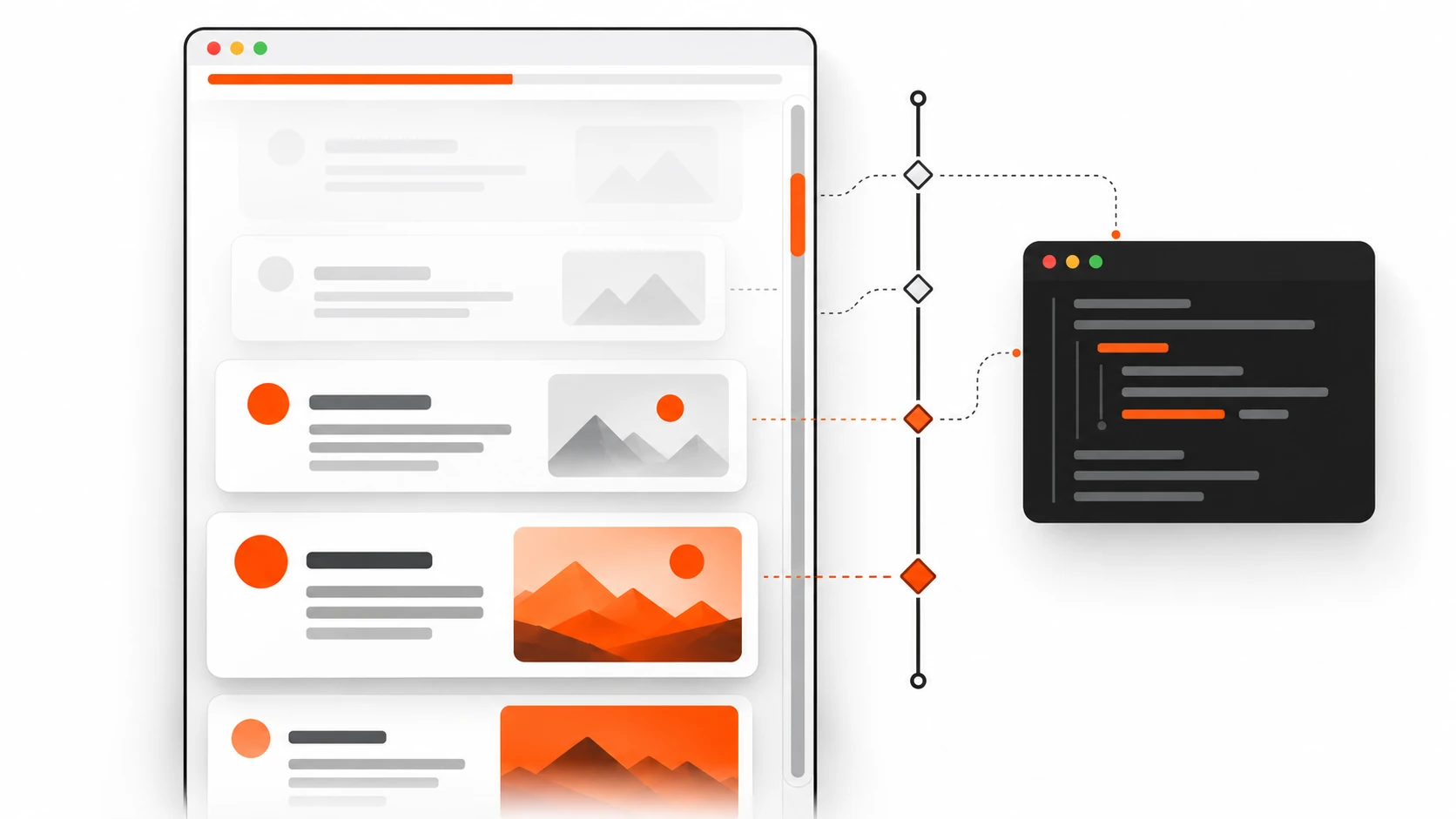
Why I stopped shipping IntersectionObserver for half my scroll effects
I used to reach for IntersectionObserver the moment a client asked for “cards that fade in as you scroll.” A year later I was still wiring up GSAP ScrollTrigger for a reading progress bar and a mild parallax hero. Both tools are excellent. Both also meant JavaScript on the critical path, layout thrashing if I got careless, and one more thing to babysit when Core Web Vitals complained about INP.
In 2026 that habit feels outdated for a big chunk of common scroll UX. CSS scroll-driven animations — animation-timeline, scroll(), view(), and animation-range — let the browser drive animations from scroll position instead of wall-clock time. No scroll listeners. No requestAnimationFrame loops. No library bundle for a progress bar.
This post is the practical version: what the feature actually is, when I ditch JS for it, real code you can paste, browser reality (Chromium strong, Safari recent, Firefox catching up), accessibility, progressive enhancement, and the mistakes that waste an afternoon.
What CSS scroll-driven animations actually are
Normal CSS animations run on a time timeline. You say animation: fade 800ms ease, and the browser advances keyframes over 800 milliseconds.
Scroll-driven animations swap that clock for a scroll clock. Progress of the animation is tied to:
1. How far a scroll container has scrolled (scroll() — scroll progress timeline), or 2. How an element moves through a scrollport (view() — view progress timeline).
You still write ordinary @keyframes. You still use transform, opacity, and friends. The only conceptual change: the playhead follows scroll, not milliseconds.
That is why a scroll progress bar CSS pattern is three lines of intent instead of a scroll event handler. That is also why parallax CSS no JavaScript is finally realistic for marketing pages without fighting the main thread.
The core properties you will use
animation-timeline— attaches an animation toscroll(...)orview(...)(or a named timeline).animation-range— clips which portion of that timeline maps to 0%–100% of your keyframes (entry,exit,cover,contain, percentages, lengths).scroll-timeline/view-timeline— named timelines when anonymousscroll()/view()are not enough (nested scrollers, shared progress,timeline-scope).animation-fill-mode: both(orforwards/backwardsas needed) — without fill, scroll-linked states often “snap away” between ranges.
Order matters in practice: declare the animation shorthand first, then override with animation-timeline and animation-range. If you put timeline first and then a shorthand that resets it, you will wonder why nothing moves.
Why 2026 matters for web design trends and frontend performance
CSS scroll-driven animations shipped in Chromium years ago (Chrome/Edge 115+). Safari caught up in the 17.4 era and, by current 2026 tables, is solid on modern releases. Firefox spent a long stretch behind a preference flag (layout.css.scroll-driven-animations.enabled); by mid-to-late 2026 it has moved into real shipping support on current versions, which is exactly why this topic belongs in web design trends 2026 conversations instead of “experimental demos only.”
Global support sits in the mid-80% range depending on your audience mix. That is not “everyone.” It is “enough to ship as progressive enhancement today.”
The performance story is the part that sold me:
- Scroll position is sampled where the browser already understands scrolling.
- Compositor-friendly properties (
transform,opacity, to a degreefilter) stay off the main thread more often than a naive JS scroll handler. - You avoid main-thread work that fights Core Web Vitals INP — especially those “harmless” scroll listeners that fire while the user is still interacting.
Myth to bust: “CSS animations are always cheaper than GSAP.” Not automatically. Animate height, top, or box-shadow heavily and you still pay. The win is architectural: for common scroll effects, CSS removes your script from the equation when the effect is decorative.
scroll() vs view() — pick the right timeline
This is where most tutorials blur things. They are not interchangeable.
Use scroll() when progress belongs to the scroller
scroll() tracks how far a scroll container has moved along an axis. Classic jobs:
- Reading progress bar at the top of an article
- Scroll-linked page indicator
- Background that shifts with overall document scroll
- Any UI that should answer: “What percent of this scroller have I consumed?”
Anonymous form:
animation-timeline: scroll();
/* more explicit — prefer this in real projects */
animation-timeline: scroll(root block);
Parameters (conceptually):
- Scroller:
root(document),nearest(closest ancestor scroller),self - Axis:
block,inline,x,y
If your page scrolls inside a custom div with overflow: auto, scroll(root) will not see that movement. Use nearest or a named scroll-timeline on the actual scroller. I have lost hours to that mismatch.
Use view() when progress belongs to an element entering/leaving view
view() is the IntersectionObserver replacement for many reveal and parallax patterns. Progress is based on the subject element’s position relative to the scrollport.
animation-timeline: view();
animation-timeline: view(block);
animation-timeline: view(block 10% 10%); /* optional insets */
Typical jobs:
- Reveal-on-scroll cards
- Sticky section storytelling
- Element-local parallax layers
- Anything that used to be
IntersectionObserver+ class toggle for “in view”
Rule of thumb I use on client work: progress bars and global chrome → scroll(). Per-section motion → view().
Pattern 1: Reading progress bar with CSS (no JavaScript)
This is the demo that converts skeptics. A thin bar that fills as the reader scrolls the article.
<div class="reading-progress" aria-hidden="true"></div>
<article class="post">…long content…</article>
.reading-progress {
position: fixed;
inset-block-start: 0;
inset-inline: 0;
height: 3px;
background: linear-gradient(90deg, #0ea5e9, #6366f1);
transform-origin: inline-start;
transform: scaleX(0);
z-index: 1000;
pointer-events: none;
}
@supports (animation-timeline: scroll()) {
.reading-progress {
animation: progress-grow linear;
animation-timeline: scroll(root block);
animation-range: 0% 100%;
}
}
@keyframes progress-grow {
from { transform: scaleX(0); }
to { transform: scaleX(1); }
}Notes from shipping this:
scaleXkeeps you on the compositor better than animatingwidth.- Mark it
aria-hiddenif it is decorative; if it is meaningful progress for assistive tech, expose a proper live region or skip the visual-only bar. - Prefer
@supports (animation-timeline: scroll())so unsupported browsers simply show no bar (or a static fallback), not a broken half-animation.
That is a complete scroll progress bar CSS implementation without a single line of JS.
Pattern 2: Reveal-on-scroll without IntersectionObserver
Old muscle memory:
const io = new IntersectionObserver((entries) => {
  entries.forEach((e) => {
    if (e.isIntersecting) e.target.classList.add("is-visible");
  });
});
New default for many marketing sites:
.card {
  opacity: 1; /* readable fallback */
  transform: none;
}

@supports (animation-timeline: view()) {
  .card {
    animation: reveal linear both;
    animation-timeline: view(block);
    animation-range: entry 0% entry 80%;
  }
}

@keyframes reveal {
  from {
    opacity: 0;
    transform: translateY(1.25rem);
  }
  to {
    opacity: 1;
    transform: translateY(0);
  }
}

@media (prefers-reduced-motion: reduce) {
  .card {
    animation: none !important;
    opacity: 1;
    transform: none;
  }
}
Why animation-range: entry 0% entry 80%? Because “start fading as it enters, finish before it is fully in” feels intentional. Full cover often makes reveals finish too late or feel sluggish on tall cards.
When I still use IntersectionObserver:
- I need to lazy-load data, fire analytics, or start a video — side effects, not paint.
- I need one-shot “has been seen” logic that must run once in JS for business rules.
- The motion must orchestrate with a complex JS timeline (ScrollTrigger still wins for cinematic sequences).
For “fade up when visible,” CSS view timelines are enough in 2026.
Pattern 3: Parallax CSS with no JavaScript
Parallax got a bad reputation because old implementations listened to scroll on the main thread and janked phones. CSS scroll-driven parallax is calmer when you keep layers on transform.
<section class="hero">
  <img class="hero__bg" src="sky.webp" alt="" />
  <div class="hero__copy">
    <h2>Ship motion that respects the main thread</h2>
  </div>
</section>
.hero {
position: relative;
min-block-size: 70vh;
overflow: clip;
}
.hero__bg {
position: absolute;
inset: -10% 0;
inline-size: 100%;
block-size: 120%;
object-fit: cover;
}
@supports (animation-timeline: view()) {
.hero__bg {
animation: parallax-y linear both;
animation-timeline: view(block);
animation-range: cover;
}
}
@keyframes parallax-y {
from { transform: translateY(-8%); }
to { transform: translateY(8%); }
}Keep the travel distance modest. Big parallax still causes motion sickness for some users — which is why prefers-reduced-motion is not optional.
animation-range without the fog
animation-range is where designs either feel polished or broken.
Useful keywords on view timelines:
entry— element moving from just touching the scrollport to fully insideexit— leaving until fully gonecover— any part visible through fully covered then leaving (full visibility journey)contain— while the element is fully contained in the scrollport
You can mix keywords with percentages:
animation-range: entry 0% cover 50%;
animation-range: contain 0% contain 100%;
animation-range: 10% 90%; /* of the full timeline */
Practical tips:
1. Start with entry 0% entry 100% for reveals; tighten to entry 0% entry 60% if cards feel late. 2. For sticky storytelling, contain often maps better than cover. 3. If the animation “jumps” at the edges, you probably need animation-fill-mode: both and a clearer range.
Named timelines help when multiple elements must share one progress source:
.scroller {
  scroll-timeline-name: --page;
  scroll-timeline-axis: block;
}

.indicator {
  animation: tick linear;
  animation-timeline: --page;
}
If a child cannot see a named timeline, check timeline-scope on an ancestor. Scope bugs look like “animation finished instantly” because the browser fell back to a time timeline.
Accessibility: prefers-reduced-motion is non-negotiable
Scroll-linked motion can be worse than timed motion for vestibular disorders because the user cannot “wait it out” — every scroll re-triggers movement.
Minimum bar I ship:
@media (prefers-reduced-motion: reduce) {
  *,
  *::before,
  *::after {
    animation-duration: 0.01ms !important;
    animation-iteration-count: 1 !important;
    transition-duration: 0.01ms !important;
    scroll-timeline: none !important;
    animation-timeline: auto !important;
  }
}
For component-level control, kill only the scroll-driven pieces and leave essential UI transitions if they are subtle. Never hide content behind motion. Fallback styles should be the readable end state (opacity: 1, no offset), not the “before reveal” state.
Also: decorative progress bars and parallax layers should not steal focus or announce constantly.
Progressive enhancement and @supports fallback
Do not make the page depend on scroll-driven animations to be usable. Frame them as enhancement.
Feature query I use most:
@supports (animation-timeline: view()) {
  /* enhanced motion */
}
Or more narrowly:
@supports (animation-timeline: scroll()) {
  /* progress bar only */
}
Browser reality in plain language for stakeholders (2026):
- Chromium (Chrome, Edge, Opera, Samsung Internet recent): strong, production-ready for years.
- Safari (recent releases): supported; test on real iOS devices because overflow/scrollport quirks still bite.
- Firefox: historically flag-gated; current versions have been catching up into default support — still verify on your target ESR / release channel before promising parity.
Fallback strategy that works:
1. Static, readable layout always. 2. Optional CSS enhancement inside @supports. 3. Only if product insists on identical motion everywhere, load a small JS polyfill or keep ScrollTrigger for that one sequence — not for every fade-in on the site.
That is progressive enhancement, not “detect browser and give up.”
Performance: when to ditch IntersectionObserver / GSAP ScrollTrigger
I still install GSAP. I still use IntersectionObserver. I just stop using them as the default hammer.
Prefer CSS scroll-driven animations when
- Effect is visual only (reveal, progress, light parallax, scrubbed opacity)
- Keyframes can be expressed in CSS
- You care about frontend performance and reducing main-thread work tied to scroll
- You want fewer moving parts for a brochure / content / marketing page
Keep IntersectionObserver when
- Visibility should trigger logic: fetch, analytics, pause/play media, hydrate a widget
- You need precise once-only callbacks with application state
Keep GSAP ScrollTrigger (or similar) when
- Pinning + scrubbing + multi-scene orchestration
- Complex sequencing across many elements with shared controls
- Editors / designers need a timeline UI and runtime tweaking
- You must match motion 1:1 on browsers that still lack the CSS feature for a campaign microsite
Honest comparison for INP and jank:
| Approach | Typical cost | Best fit |
|---|---|---|
CSS scroll() / view() |
Low JS; compositor-friendly if transforms/opacity | Common scroll UX |
| IntersectionObserver | Small JS; callback cost | Logic on visibility |
| Scroll listeners + rAF | Easy to misuse; INP risk | Rarely justified now |
| GSAP ScrollTrigger | Bundle + runtime; excellent control | Cinematic / complex |
Myth: “CSS cannot scrub.” It can — that is literally what linking keyframes to a scroll timeline is. Myth: “GSAP is always slower.” A well-built ScrollTrigger scene can be smoother than bad CSS that animates layout properties. Choose based on the effect, not tribal loyalty.
Common mistakes (the ones I still make when rushing)
1. Animating layout properties (top, height, margin) on a scroll timeline — you throw away the performance reason you switched to CSS. 2. Wrong scroller — scroll(root) while the overflowing element is a nested container. 3. Missing animation-fill-mode — states flicker outside the active range. 4. Shorthand order bugs — animation reset wiping animation-timeline. 5. Invisible fallback — setting opacity: 0 outside @supports, so Firefox/old Safari users never see content. 6. Ignoring reduced motion — legal and human cost; also an easy Lighthouse / a11y audit fail. 7. Over-parallax — 40% travel looks cool in a Dribbble shot and nauseating on a phone in a rickshaw in Ahmedabad traffic. Ask me how I know. 8. Named timeline out of scope — animation completes on the time timeline instantly; looks “broken.” 9. Fighting sticky + view timelines without re-testing scrollports — sticky changes how you perceive progress; re-tune animation-range. 10. Shipping identical motion to every section — motion fatigue is real; reserve scroll effects for hierarchy, not decoration spam.
FAQ / code Q&A
Can I replace all ScrollTrigger usage with CSS in 2026?
No. You can replace a surprising amount of common effects: progress bars, reveals, simple parallax, scrubbed opacity/transform. Keep ScrollTrigger for pinning epics, timeline orchestration, and cross-browser campaign work that must look identical everywhere.
Does this help Core Web Vitals INP?
It can, indirectly. Removing scroll handlers and heavy observer churn reduces main-thread contention during interaction. It will not fix INP if your INP problem is a 200 KB hydration spike. Measure before/after on real pages.
scroll() or view() for a footer that fades in?
view() on the footer (or its wrapper). You care about the element’s journey, not document percent.
How do I feature-detect in JavaScript if I need a polyfill path?
const supported = CSS.supports("animation-timeline: scroll()");
if (!supported) {
  // progressive path: static UI, or load a polyfill / small JS fallback
}
Mirror the same condition in CSS with @supports so you do not maintain two sources of truth for styling.
Why is my animation stuck at the end?
Often: timeline not found (scope), wrong axis, or range already completed on load (element starts mid-view). Try animation-range adjustments and confirm the scroll container.
Can I use this inside Shadow DOM / web components?
Yes with care. Named timelines and scope across shadow boundaries can be tricky; anonymous view() on the animated element inside the shadow tree is the safer starting point.
What about horizontal scroll sections?
Specify the axis explicitly: scroll(nearest inline) or view(inline). Horizontal scrollports are where defaults surprise you.
Implementation checklist (copy into your PR)
Use this before you merge scroll-driven work:
- Content is fully readable with animations disabled
- Base styles use the end (visible) state, not the hidden state
- Motion wrapped in
@supports (animation-timeline: …) prefers-reduced-motion: reducedisables or flattens effects- Only
transform/opacity(and carefulfilter) on the timeline - Correct timeline type:
scroll()for scroller progress,view()for element progress - Explicit scroller/axis where nested overflow exists
animation-rangetuned on mobile and desktop heightsanimation-fill-modeset so frames do not snap- No competing JS scroll listeners on the same effect
- Tested in current Chrome/Edge, Safari iOS, and Firefox release you care about
- Decorative UI marked appropriately for accessibility
- Lighthouse / Web Vitals spot-check: no INP regression on scroll-heavy pages
- Stakeholders understand unsupported browsers get a static but polished UI
Leave a Reply