
Last month a client asked me why their competitor’s site “felt instant” while theirs, which scored better in Lighthouse, still felt a beat slow when you clicked around. Same kind of WordPress setup, similar hosting, similar page weight. I opened the competitor’s homepage, looked at the source, and found a small <script type="speculationrules"> block near the bottom. That was the whole trick. Their next page was already loaded, sometimes already rendered, by the time the visitor’s finger left the mouse button.
That little JSON block is the Speculation Rules API, and in 2026 it is one of the cheapest performance wins I know of for content sites, WooCommerce stores, documentation, and marketing sites. You do not rewrite your front end. You do not move to an SPA. You tell the browser which links are likely next, how early it is allowed to act, and which URLs it must never touch.
In this guide I will walk through how I actually use the speculation rules API on client projects: the difference between prefetch and prerender, list rules versus document rules, the four eagerness levels, the HTTP header option, how to detect speculative requests on the server, how to keep analytics honest, how to measure the gain, and what WordPress 6.8 already does for you out of the box. I will also be clear about where it does not help, because that matters just as much.
What the Speculation Rules API actually is
The speculation rules API is a browser feature that lets a page declare, in JSON, which future navigations the browser may load ahead of time. It replaces the old <link rel="prerender"> hint, which Chrome stopped treating as a real prerender years ago, and it is a better tool than <link rel="prefetch"> for whole documents.
The simplest version looks like this:
<script type="speculationrules">
{
  "prerender": [
    { "urls": ["/pricing/", "/contact/"] }
  ]
}
</script>
That is a list rule. It names specific URLs. A browser that supports the API will prerender those two pages in the background, and if the visitor then clicks a link to one of them, the hidden page is swapped into the tab almost instantly. A browser that does not support the API sees a script type it does not recognise and ignores it. No errors, no broken pages. That is why I am comfortable shipping it on client sites: it is a pure progressive enhancement.
Two details trip people up. First, speculation rules only cover full document navigations. They do not handle images, fonts, or scripts, and they do nothing for client-side route changes inside a single page app. Second, they work best on multi-page sites, which is most of the web: WordPress, Shopify-style stores, static sites, server-rendered apps.
Prefetch vs prerender: pick the right level of speculation
There are two actions you can ask for, and the difference is bigger than the names suggest.
Prefetch
A prefetch downloads the HTML document for a URL and keeps it in a per-document memory cache. It does not fetch the page’s images, CSS, or scripts, and it does not run any JavaScript. When the user navigates, the browser already has the response, so you save the full server round trip, including TTFB. On a slow origin that alone can cut hundreds of milliseconds.
Prefetch is cheap and low risk. The cost is one extra GET request per speculated URL. If the user never clicks, you wasted a bit of bandwidth and a bit of server time.
Prerender
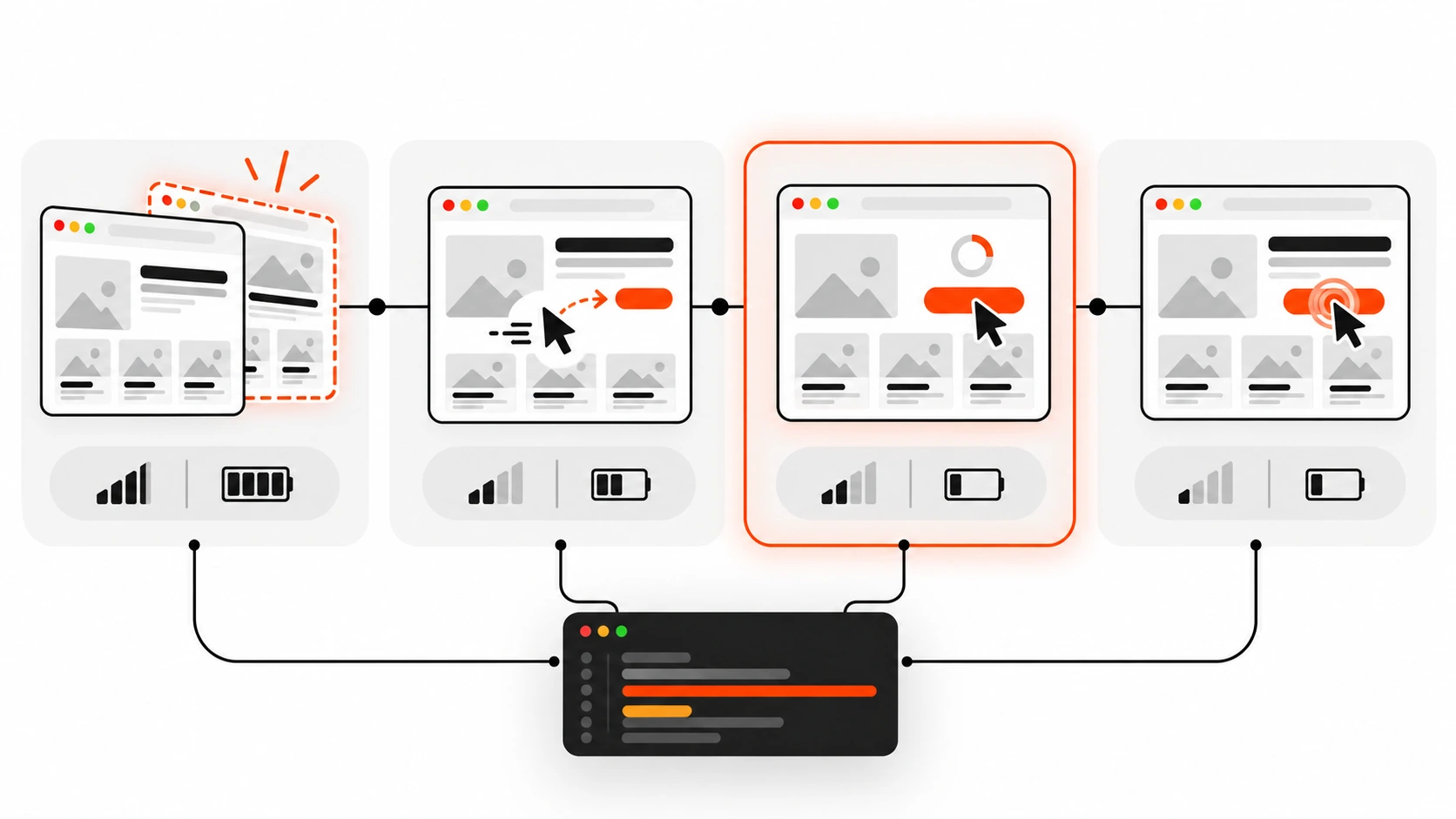
A prerender goes much further. The browser fetches the document and all its subresources, runs its JavaScript, and renders the whole page in a hidden background renderer, almost like an invisible tab. When the user clicks, that page is activated and shown. On a good day, the visitor sees the new page in effectively zero time.
The trade-off is cost and side effects. Prerendering uses memory, CPU, and data on the visitor’s device, and your page’s JavaScript runs before anyone is looking at it. Analytics, ad impressions, A/B test assignments, and anything that writes to storage on load can misbehave if you have not prepared for that. I come back to this further down because it is where most real-world problems hide.
My rule of thumb on client sites: prefetch broadly, prerender selectively.

List rules vs document rules
List rules are fine when you know the exact next page, such as step two of a checkout, the next article in a series, or the most clicked link on a landing page. But most sites have hundreds of links, and hardcoding URLs gets stale fast. That is what document rules are for.
A document rule uses a where condition instead of urls. The browser looks at links in the page and picks the ones that match. Conditions can use href_matches, which takes URL patterns, and selector_matches, which takes CSS selectors, combined with and, or, and not.
Here is the document rule I start most client projects with:
<script type="speculationrules">
{
  "prerender": [{
    "where": {
      "and": [
        { "href_matches": "/*" },
        { "not": { "href_matches": "/wp-admin/*" } },
        { "not": { "href_matches": "/logout*" } },
        { "not": { "href_matches": "/*\\?*(^|&)add-to-cart=*" } },
        { "not": { "selector_matches": ".no-prerender" } },
        { "not": { "selector_matches": "[rel~=nofollow]" } }
      ]
    },
    "eagerness": "moderate"
  }]
}
</script>
Read it from top to bottom: any same-origin link, except the admin area, logout URLs, add-to-cart query links, anything I have marked with a no-prerender class, and nofollow links. The selector_matches exclusion is my favourite part, because it gives content editors a manual escape hatch without touching JSON.
You may still see older examples with a "source": "list" or "source": "document" key. Chrome made that key optional from Chrome 121, because the presence of urls or where already tells the browser which kind of rule it is. Leaving it in does no harm.
You can also mix both actions in one block. A pattern I use a lot is to prerender same-origin links on hover and only prefetch cross-origin ones:
<script type="speculationrules">
{
  "prerender": [{
    "where": { "href_matches": "/*" },
    "eagerness": "moderate"
  }],
  "prefetch": [{
    "where": { "not": { "href_matches": "/*" } },
    "eagerness": "moderate"
  }]
}
</script>
Prerendering is same-origin by default. Cross-origin prefetch works with limits: for a different site, Chrome only uses the prefetch when the visitor has no cookies for that site, for privacy reasons.
Eagerness: when should the browser act?
Eagerness controls how early a speculation fires. It is the setting that decides whether this feature saves your users time or quietly burns their data plan. There are four values.
- immediate: speculate as soon as the rules are seen. No user signal at all.
- eager: in current Chrome, a very short hover (around 10 milliseconds) on desktop, and a simple viewport heuristic on mobile, where links that scroll into view become candidates. In older Chrome versions eager behaved the same as immediate, so do not be surprised if you read older posts that say so.
- moderate: on desktop, the pointer rests on a link for about 200 milliseconds, or the user presses down on it, whichever comes first. On mobile, Chrome uses viewport-based heuristics, since there is no hover.
- conservative: only when the user presses down on the link with a pointer or touch.
The defaults matter. List rules default to immediate, which makes sense because you explicitly named the URLs. Document rules default to conservative, because a page can contain hundreds of links and the browser should not guess wildly.
Chrome also caps how much you can speculate. With immediate, it allows up to 50 prefetches and 10 prerenders. With eager, moderate, and conservative, it keeps only 2 at a time and drops the oldest when a new one starts. So a visitor sweeping the mouse across a mega menu does not trigger forty prerenders.
For most of my projects, moderate is the sweet spot. A 200 millisecond hover is a strong signal of intent, and the time between hover and click is usually long enough to finish a prefetch and get a good head start on a prerender. Conservative is the safe default for very heavy pages or sites with lots of risky links. Immediate I reserve for list rules with one or two URLs that I am confident about from analytics.
Delivering rules with the Speculation-Rules HTTP header
You do not have to edit HTML to add speculation rules. You can send a Speculation-Rules response header with the document that points to a JSON file. This is handy when a CDN or a reverse proxy should own the rules, or when the theme is hard to change.
# In the server block that serves HTML pages
add_header Speculation-Rules '"/speculationrules.json"';

# Serve the rules file with the right MIME type
location = /speculationrules.json {
  types { }
  default_type application/speculationrules+json;
}
Two gotchas I hit the first time. The header value is a structured header string, so the double quotes around the path are required. And the JSON file must be served as application/speculationrules+json, plus a CORS header if it lives on another origin. Relative URLs inside an external file resolve against the file’s own URL unless you add "relative_to": "document" to a rule.
If your site uses a Content Security Policy, inline speculation rules need to be allowed in script-src with a hash or a nonce, because they live inside a script element. There is also a dedicated 'inline-speculation-rules' source keyword for rules injected by a trusted script. If you already run a strict CSP with nonces, the injected-script route is usually the least painful one.
Adding rules with JavaScript
Sometimes the right next page depends on logic, such as the next lesson in a course or a recommended product. You can inject rules at runtime, as long as you create the script element properly. Setting innerHTML with a speculationrules script does not register the rules.
function addSpeculationRules(rules) {
  if (!HTMLScriptElement.supports?.('speculationrules')) return;
  const script = document.createElement('script');
  script.type = 'speculationrules';
  script.textContent = JSON.stringify(rules);
  document.head.append(script);
}

addSpeculationRules({
  prerender: [{ urls: ['/course/lesson-4/'], eagerness: 'moderate' }]
});
HTMLScriptElement.supports('speculationrules') is the feature check. Removing the script element later cancels its speculations, which is useful if the page state changes and a speculated URL no longer makes sense.
Detecting speculative requests on the server
Every speculative request carries a Sec-Purpose request header. A prefetch sends Sec-Purpose: prefetch, and a prerender sends Sec-Purpose: prefetch;prerender. This is how your backend can tell a real visit from a guess.
I do not use it to serve different content. I use it to skip server-side side effects that should only happen on a real view, like incrementing a view counter or logging a “page seen” event in a CRM.
// Express middleware
app.use((req, res, next) => {
  const purpose = req.get('Sec-Purpose') || '';
  req.isSpeculative = purpose.includes('prefetch');
  next();
});

app.get('/articles/:slug', async (req, res) => {
  const article = await getArticle(req.params.slug);
  if (!req.isSpeculative) {
    await incrementViewCount(article.id);
  }
  res.render('article', { article });
});
If a page must never be speculated, the blunt option is to return a non-2xx status, such as 503, when you see that header. The browser then discards the speculation. I treat that as a last resort. Usually it is better to allow the load and move the side effect to the client, where you can wait for activation.
Keeping analytics honest: document.prerendering and prerenderingchange
This is the part people skip, and it is why some teams turn prerender off after a week. A prerendered page runs its JavaScript before anyone sees it. If your analytics script sends a page view on load, you will count views that never happened.
The good news is that Google Analytics, Google Publisher Tag, and AdSense already wait for activation by default, and so do several other big vendors. Custom scripts, smaller vendors, and home-grown tracking often do not. The fix is small:
const whenActivated = new Promise((resolve) => {
  if (document.prerendering) {
    document.addEventListener('prerenderingchange', resolve, { once: true });
  } else {
    resolve();
  }
});

async function initTracking() {
  await whenActivated;
  sendPageView();
  startHeatmap();
}

initTracking();
document.prerendering is true while the page is hidden in the background. The prerenderingchange event fires on the document the moment the user actually navigates to it. Anything that should only happen when a human is looking, such as page views, chat widget greetings, ad impression pings, or “you have 3 free articles left” counters, goes behind that promise.
Chrome already holds back a lot on its own while a page is prerendering. Permission prompts, geolocation, notifications, and media playback are deferred until activation, and cross-origin iframes are not loaded until then. So a YouTube embed or most third-party ad frames will not start in the background. You only have to deal with your own scripts.
There is one more subtle problem: stale state. If a visitor adds something to the cart with a fetch call and then clicks a cart link that was prerendered a few seconds earlier, they might see an empty cart. MDN and the Chrome team recommend refreshing that state on activation, or clearing speculations with a Clear-Site-Data response header using the "prefetchCache" and "prerenderCache" values on the request that changed state, for example on logout or add-to-cart.
Clear-Site-Data: "prefetchCache", "prerenderCache"What not to prerender or prefetch
Speculation is only safe for URLs where a GET request has no side effects. The HTTP spec has always said GET should be safe, but real sites are messy. Before I turn on anything more eager than conservative on a client site, I go hunting for these:
- Logout and sign-out links. Prefetching a logout URL can log the user out without a click.
- Add-to-cart, add-to-wishlist, and “remove” or “delete” links that work with a plain GET.
- Language or currency switchers that set a cookie on the server.
- Login flows that send an email or SMS code as soon as the page loads.
- Metered content, where viewing a page consumes a free article or a credit.
- Personalised or private pages, like account dashboards, order history, and anything behind a login, where the content can go stale between prerender and click.
- Pages with heavy, non-prerender-aware third-party scripts you cannot control.
A useful shortcut from MDN: check the paths disallowed in your robots.txt. They are often the same private or action URLs you should keep out of speculation rules.

Measuring the impact on LCP, INP, and Core Web Vitals
When a prerender is used, Chrome measures Core Web Vitals from the moment of activation, not from when the prerender started. That is why prerendered navigations often report an LCP close to zero, and why layout shifts during loading largely disappear from the user’s point of view. Interaction delays during load also tend to drop, because the page has finished its heavy startup work before the user can interact. If INP is your weak metric, pair this with the main-thread work I described in my INP guide, because speculation helps the load, not slow event handlers on a page that is already open.
To see whether a page was prerendered, check activationStart on the navigation timing entry:
const nav = performance.getEntriesByType('navigation')[0];
const wasPrerendered =
  document.prerendering || (nav && nav.activationStart > 0);

console.log('activationStart:', nav ? nav.activationStart : 0);
A non-zero activationStart means the page was prerendered, fully or partly, and then activated. For prefetched pages, the navigation entry’s deliveryType is "navigational-prefetch". If you collect real user metrics, the web-vitals library (version 3.1.0 and later) already adjusts for prerendered navigations and labels them through the metric’s navigationType. I send that label as a custom dimension so I can compare prerendered and normal navigations side by side.
Also measure waste. Log an event when you insert rules, compare it with activations, and if most speculations are never used, your eagerness is too high or your URL patterns are too broad.
For debugging, Chrome DevTools has a dedicated area: open the Application panel, then Background services, then Speculative loads. It shows the rule sets found on the page, every candidate URL, its status (not triggered, ready, failure), and the reason a speculation failed. Prefetches also show up in the Network panel with the Sec-Purpose header. One tip: open that panel before you load the page, or reload once it is open, otherwise it starts empty.
Browser support in 2026
Be honest with clients here. Full support is in Chromium-based browsers: Chrome, Edge, Opera, and other browsers built on Chromium. Chrome has supported prerendering through speculation rules since version 109, with document rules, eagerness, and the HTTP header arriving in Chrome 121.
Safari has an implementation of speculation rules prefetch, but as of my latest check it is not turned on by default for regular users, and WebKit has switched it back off at least once while fixing bugs. Firefox has signalled support for parts of the spec but has not shipped it. Things move quickly in this area, so check the current compatibility table on MDN before you promise anything.
In practice, that means Chromium visitors get faster navigations and everyone else gets exactly the site they had before. Even with partial support, a large share of most audiences benefits.
Chrome also skips speculation in situations where it would hurt the user: when Data Saver is on, in Energy Saver mode on low battery, under memory pressure, when the user has turned off the “Preload pages” setting, and for pages in background tabs. Some extensions, such as uBlock Origin, disable preloading too. So never build a feature that depends on speculation actually happening.
WordPress: speculative loading is already in core
If you run WordPress 6.8 or newer, you already have speculation rules on your front end. Core prints a document rule that prefetches links to your own front end with conservative eagerness, which means the prefetch starts when the visitor presses down on a link. It is turned off for logged-in users and on sites without pretty permalinks, and URLs with query strings are excluded by default, which catches most action links from plugins.
The defaults are deliberately cautious, so that it is safe across millions of sites. On client sites where I have audited the risky URLs, I usually go one step further with the wp_speculation_rules_configuration filter:
add_filter( 'wp_speculation_rules_configuration', function ( $config ) {
    if ( is_array( $config ) ) {
        $config['mode']      = 'prerender'; // auto, prefetch or prerender
        $config['eagerness'] = 'moderate';  // auto, conservative, moderate or eager
    }
    return $config;
} );
Note the is_array() check: the filter passes null when speculative loading is disabled for the current request, for example for logged-in users, and you do not want to accidentally turn it back on for them.
To keep specific paths out, use wp_speculation_rules_href_exclude_paths. Its second argument tells you the mode, so you can exclude a path from prerender only:
add_filter( 'wp_speculation_rules_href_exclude_paths', function ( $paths, $mode ) {
    $paths[] = '/cart/*';
    $paths[] = '/my-account/*';
    if ( 'prerender' === $mode ) {
        $paths[] = '/members/*';
    }
    return $paths;
}, 10, 2 );
Core also respects two CSS classes: add no-prefetch or no-prerender to a block in the editor through the Additional CSS class field, and links inside it are skipped. no-prefetch opts out of both, since prerendering includes prefetching. For custom rules on top of the main one, there is a wp_load_speculation_rules action that hands you a WP_Speculation_Rules object with an add_rule() method.
If you prefer a settings screen over code, the Speculative Loading plugin from the WordPress Performance Team adds options under Settings, Reading, and defaults to prerender with moderate eagerness. Whichever route you take, speculation does not fix a slow origin. If TTFB is high, every prefetch is slow too, so start with the server work from my WordPress TTFB guide and then add speculation on top.
What about Next.js and other SPA frameworks?
If you build with Next.js, the Link component already prefetches routes in production when links enter the viewport. Those are client-side navigations, and speculation rules cannot prerender them. Adding a speculationrules block to every Next.js page will not make in-app route changes faster.
Where speculation rules still help in a Next.js project:
- Plain
<a>links that cause full page loads, such as links between separately deployed apps or zones on the same domain. - The first navigation into the app from a static landing page, a docs site, or a WordPress blog on the same origin.
- Marketing pages built as a traditional multi-page site that link into the app’s sign-up page.
The same thinking applies to any SPA. Speculation rules can prerender the app itself from a previous page, which hides its startup cost, but route changes inside the app are your router’s job.
Speculation rules and view transitions
One pairing I really like: speculation rules plus cross-document view transitions. Prerendering makes the next document ready instantly, and a view transition animates the swap so it feels like an app. I wrote about the transition side in Cross-Document View Transitions in 2026. Together they give a multi-page site the smoothness people usually reach for a JavaScript framework to get, with none of the hydration cost.
My rollout checklist for client sites
This is the order I follow when I add speculation rules to an existing site:
- Measure first. Record field LCP, INP, and the share of Chromium traffic so you can compare later.
- Audit links. Find every GET URL with side effects: logout, cart actions, language switchers, one-time login links, metered pages.
- Start with prefetch and
moderateeagerness on same-origin links, with exclusions for the URLs from step 2. - Make analytics prerender-safe. Confirm your tools wait for activation, and wrap custom tracking in a
prerenderingchangecheck. - Move to prerender with
moderatefor content pages: blog posts, product pages, category pages, docs. - Keep private and personalised areas on prefetch or out entirely.
- Watch the server. Expect a modest increase in HTML requests; make sure page caching absorbs it.
- Verify in DevTools under Application, Background services, Speculative loads, and in your RUM data with
activationStart. - Review after two weeks: hit rate, Core Web Vitals, conversions, and any odd analytics changes.
Wrapping up
The speculation rules API is one of those rare performance features where the effort is small and the user-visible result is big. A dozen lines of JSON, a careful list of exclusions, and a few lines of analytics hygiene can make a normal multi-page site feel instant in Chromium browsers, while every other browser simply carries on as before.
My advice: start with prefetch, move to prerender with moderate eagerness once you have checked your side-effect URLs and analytics, and measure with real user data instead of trusting a lab score. If you want help rolling this out on a WordPress or headless site without breaking tracking or checkout flows, that is exactly the kind of work I do for clients.